ConnectWise HubSpot Integration: Objects and Data Sync Comparison
One of the first questions any business should ask when evaluating integration platforms: What data can I sync?
From ConnectWise → HubSpot
Zapier offers basic syncing:
- Companies (with filtering by criteria)
- Contacts (with filtering by type)
- Service Tickets (with filtering by board/project)
- Opportunities (with filtering by board)
- Territories (one-way only)
SyncSmart provides comprehensive bidirectional sync:
- Contacts ↔ ConnectWise Contacts
- Companies ↔ ConnectWise Companies
- Deals ↔ ConnectWise Opportunities/Invoices
- Engagements ↔ ConnectWise Activities
- Products ↔ ConnectWise Products
- Line Items ↔ ConnectWise Forecast
- Tickets ↔ ConnectWise Tickets
- Custom Objects ↔ ConnectWise Custom Objects
From HubSpot → ConnectWise
Zapier requires extensive manual configuration:
- Companies (requires: name, identifier, type, status, site name)
- Contacts (requires: first name, last name)
- Tickets only
SyncSmart is bidirectional and handles all data types, with automatic field mapping, supporting both standard and custom fields.
Critical Difference: Deal Syncing
Zapier: No deal syncing capability. This can be a dealbreaker for most ConnectWise users who implement HubSpot specifically to leverage its sales reporting and pipeline management. Without the ability to sync opportunities and invoices to HubSpot Deals, sales teams lose visibility into their pipeline, can't track revenue accurately, and miss out on HubSpot's powerful sales analytics. The integration is often described as "lightweight" and could be useless for sales-focused organizations.
SyncSmart: Full bidirectional deal syncing between HubSpot Deals and ConnectWise Opportunities/Invoices. This is exactly what ConnectWise customers need: complete sales data flowing into HubSpot for advanced reporting, forecasting, and pipeline management. Sales teams can finally leverage HubSpot's superior sales tools while maintaining ConnectWise as their system of record.
Platform Overview: Zapier vs. SyncSmart
Here's how the platforms compare in terms of experience, reliability, and support.
User Interface Experience
Zapier: Despite the ability to choose from pre-built templates, the interface can be frustrating even for technically savvy users. Users describe it as poorly designed, non-intuitive, and jumbled. Many report that it attempts to automate too much while creating excessive friction in the user experience.
SyncSmart: The user interface is out-of-the-box, yet configurable, with pre-packaged recommended mappings that work for most businesses. Go live in 15 minutes with defaults, or customize everything — fields, sync directions, complex filters — through the guided wizard. Users report that it has an intuitive interface that's easily navigated.
Reliability and Technical Capabilities
Zapier: Reliability issues plague the platform. Users report experiencing constant errors, with automation failures occurring at least weekly that require manual intervention to fix. Some users describe the complete unreliability of their workflows and issues with data integrity.
Technical constraints include:
- No real-time logging dashboard to diagnose issues before they become a problem (unlike SyncSmart)
- 30-second timeout for steps, causing a 20% failure rate for some users
- When flows fail, subsequent steps still run and cost money
- Limited to basic field mapping without complex business logic
- The system can take up to 15 minutes to update
SyncSmart: The experience here is different. The platform is built with:
- Smart middleware that works: Advanced change detection knows when to sync and when to wait. No duplicate records, no accidental overwrites. Business logic handles ConnectWise-HubSpot nuances automatically. System updates every five minutes.
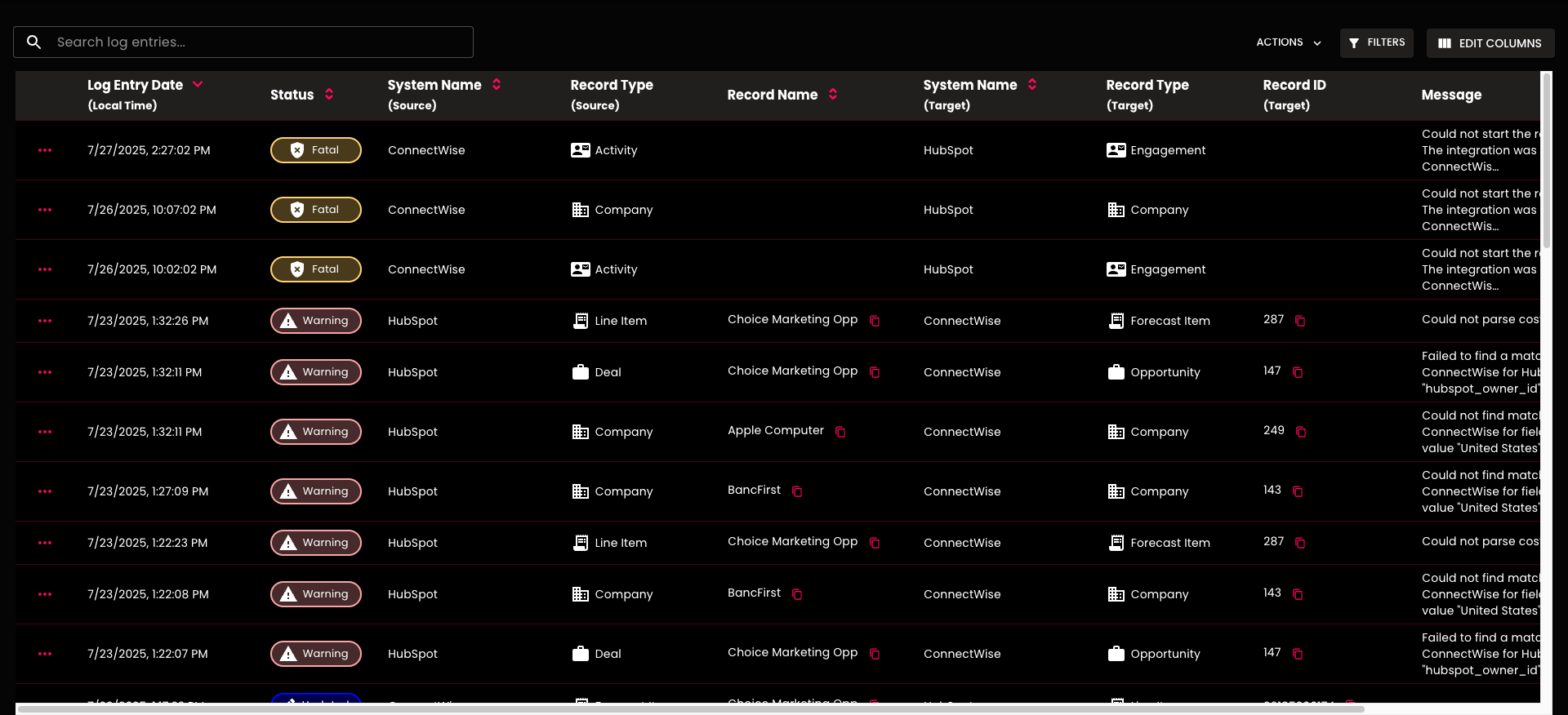
- Real-time data health tracking: The Logger provides complete visibility of every record movement. Filter by date, status, or record type. Export logs for compliance. Get email alerts before errors become problems.
- Enterprise security, simplified experience: SOC 2 Type II compliant with isolated environments for each customer. Direct point-to-point transfer — your data never sits on third-party servers. US-hosted infrastructure. Complete version control with instant rollback.
Support
Zapier: Support is virtually non-existent. Users report having no access to help through any channel — no email support, no phone support, and an unhelpful community page/knowledge base. Many describe paying for an app without any support infrastructure when issues arise. With a 1.4-star rating on Trustpilot, the gap between promise and reality becomes clear.
SyncSmart: Submit tickets directly from the platform. Get actual responses from real people. Schedule guided implementation calls. Purchase premium support packages if you need them. Access business-user-friendly documentation.
Overall Experience of Zapier vs. SyncSmart Users
Zapier: Users consistently report disappointment with Zapier's complexity for specific integrations. Many attempted to solve integration problems themselves but found the tool lacked the necessary depth and stability for complex situations. The platform's poor UI leads to users spending significant time on field mapping alone.
SyncSmart: Users describe the connector as a "game-changer" for sales teams and internal processes. They specifically highlight:
- Near real-time data sync
- Ability to self-manage property changes
- Fantastic customer service
- Access to logs for troubleshooting
The main wishlist items are minor: attachment syncing and automatic task closing for engagements.
How to Set Up ConnectWise HubSpot Integration: Zapier vs. SyncSmart
Here's what you're signing up for with each option.
Step 1: Getting Started
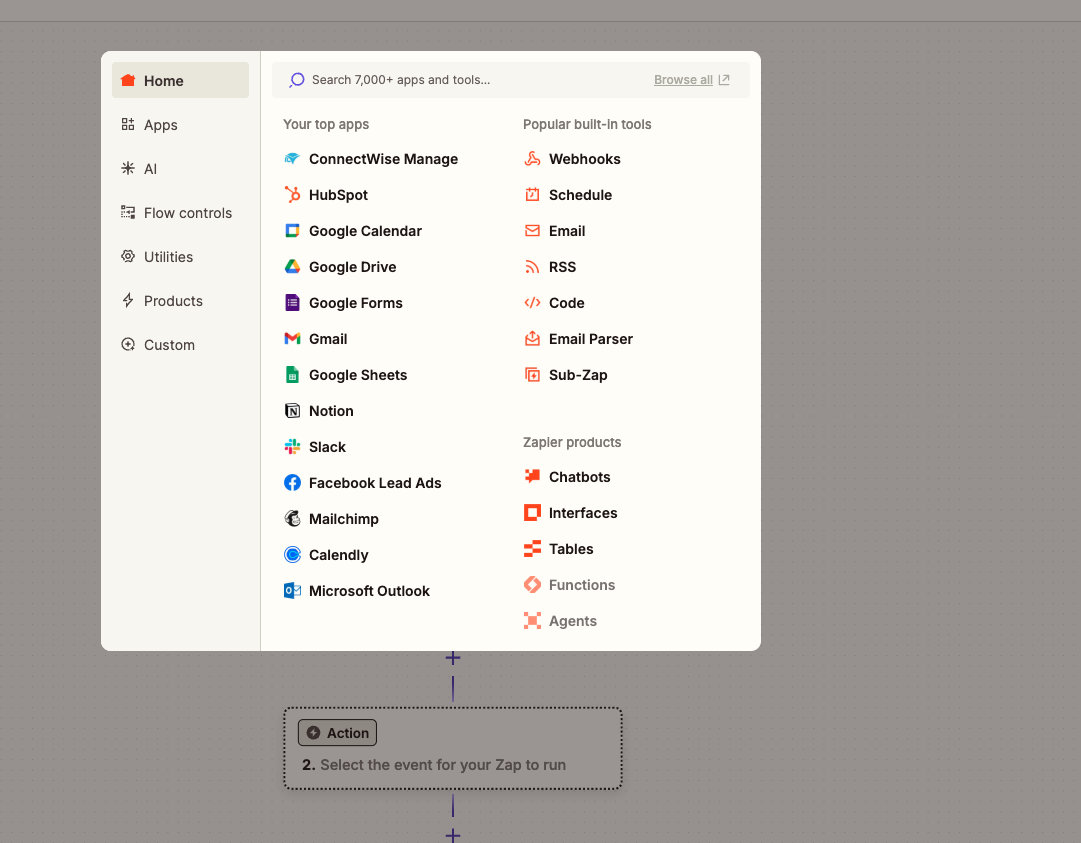
Zapier: Choose your integration then pick from pre-built templates - Zapier offers templates for everyday use cases, although users report that these often don't align with real-world needs. For anything beyond basic templates, you're building from scratch.
SyncSmart: Download and launch the wizard - The SyncSmart ConnectWise HubSpot integration guides you through each step with a visual interface designed for business users, not developers.
Step 2: Authentication & Configuration
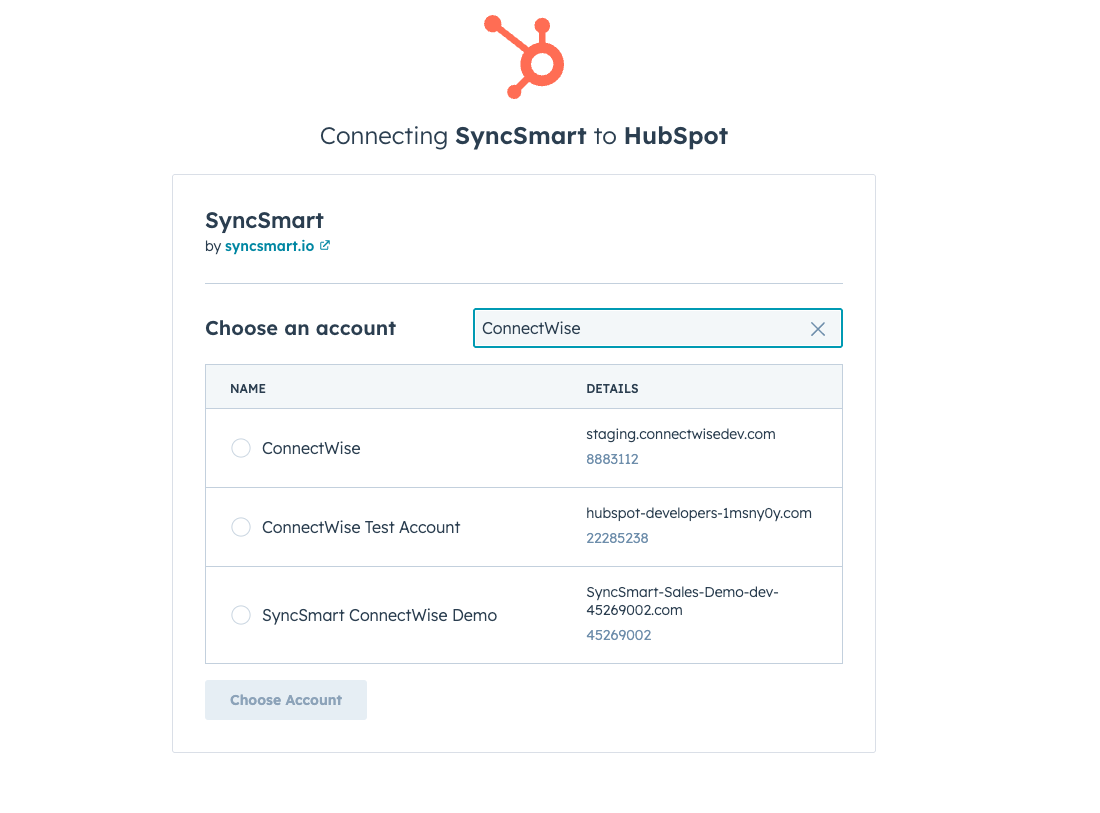
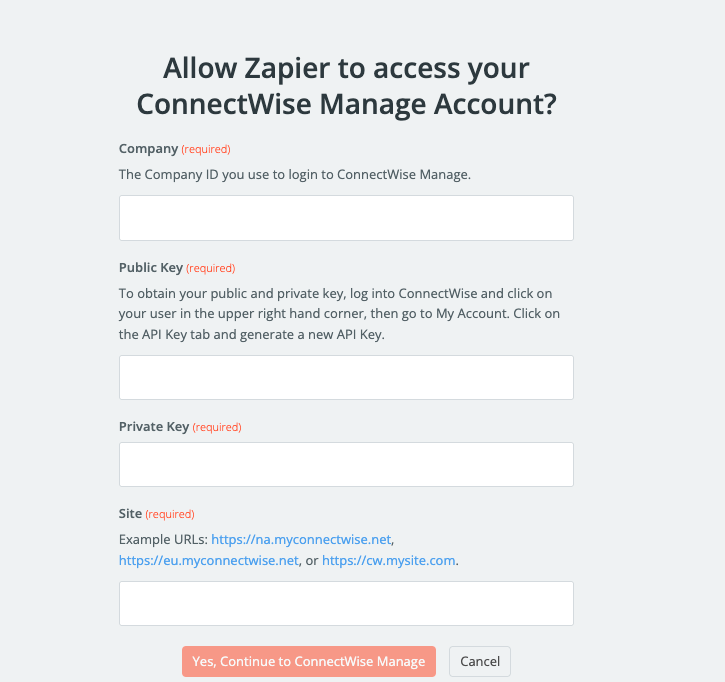
Zapier: Authenticate both platforms - ConnectWise requires API keys (Company ID, Public Key, Private Key). HubSpot uses OAuth. You'll need admin permissions on both platforms. No automatic configuration help.
SyncSmart: Automatic configuration - The system recommends mappings based on your setup and creates needed HubSpot properties automatically. Authentication is streamlined through the wizard.
Step 3: Building Your Integration
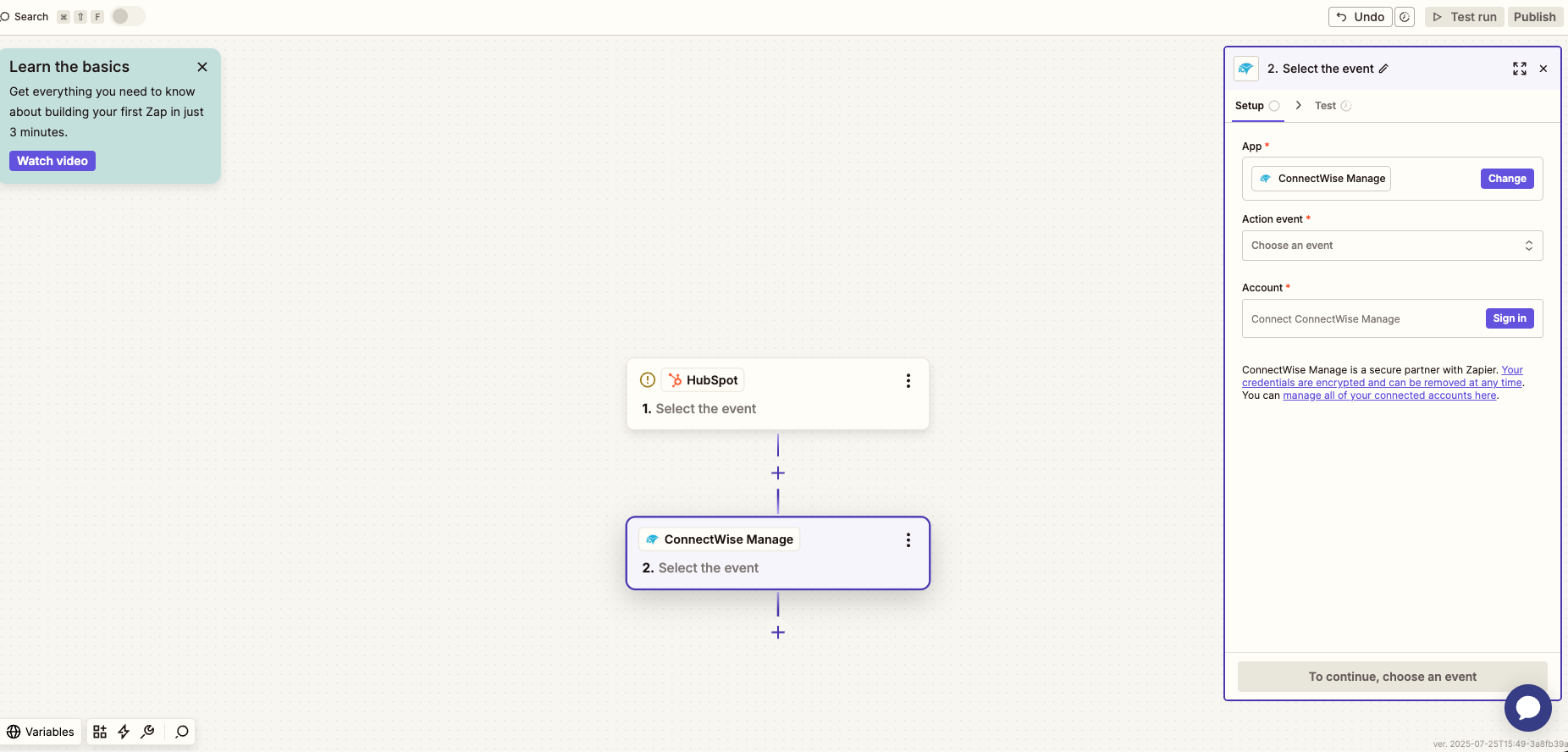
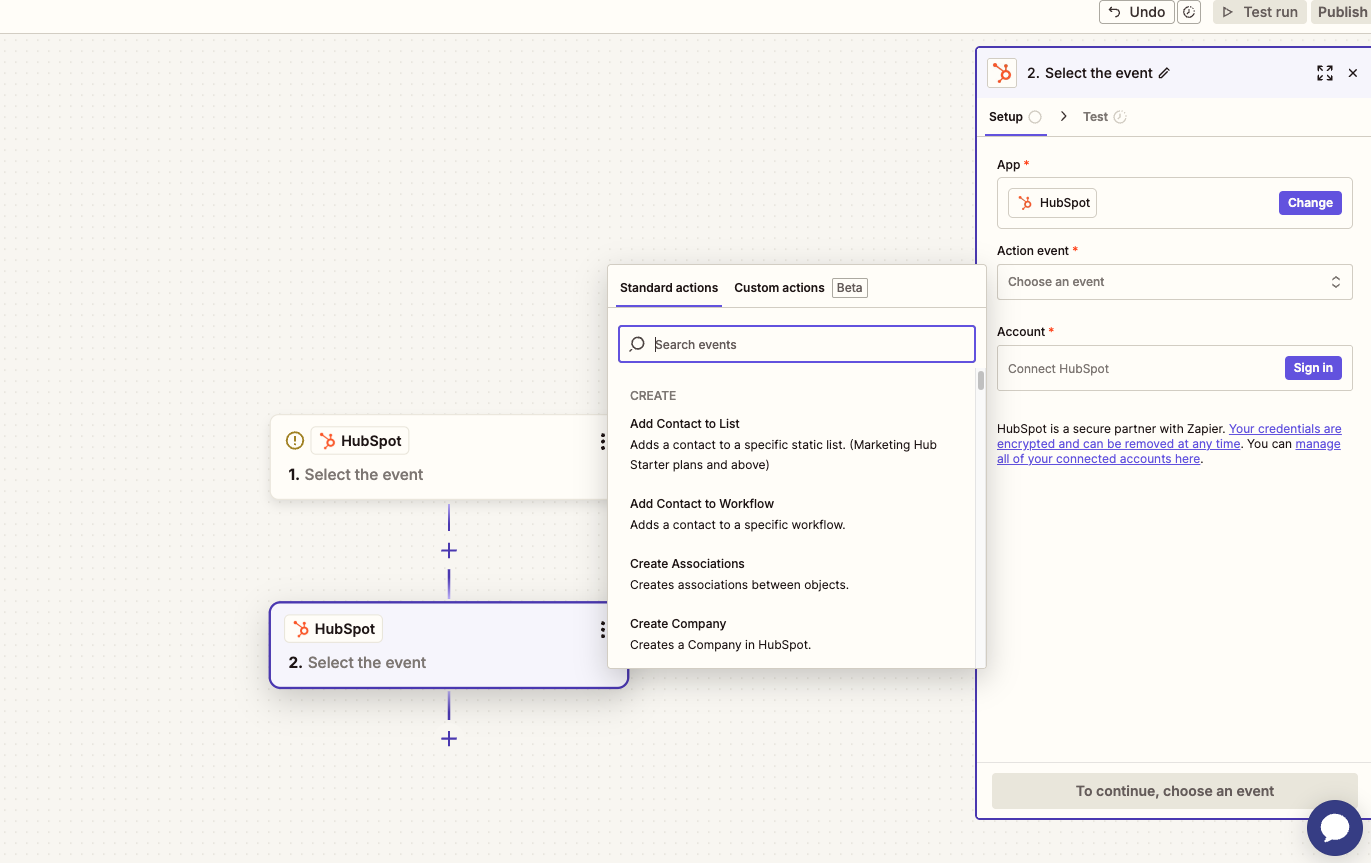
Zapier: Build your workflow - Select trigger events and corresponding actions. Map your fields manually - while field mapping is supported, custom fields add complexity. Users report spending significant time on mapping due to the poor UI. For anything beyond basic use cases, you're essentially programming your integration from scratch.
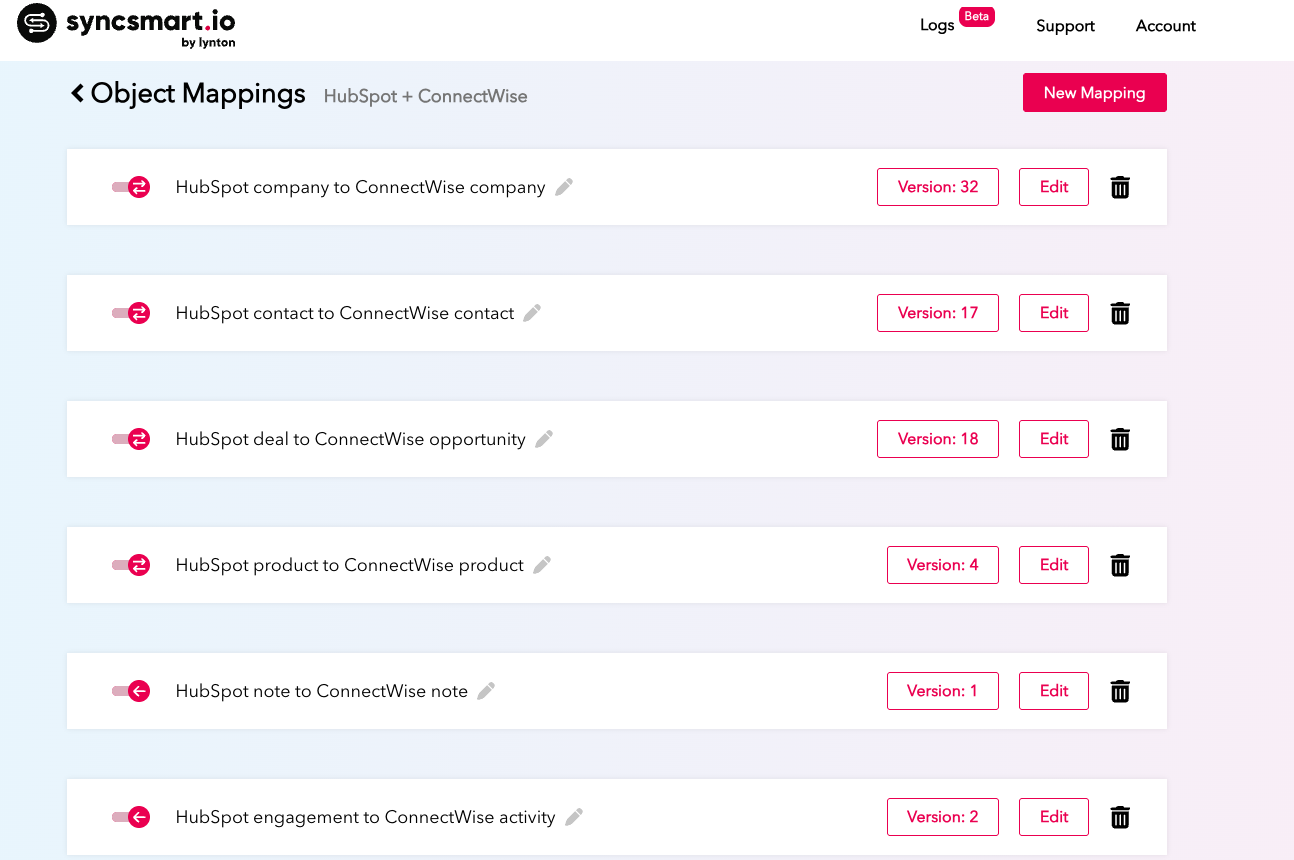
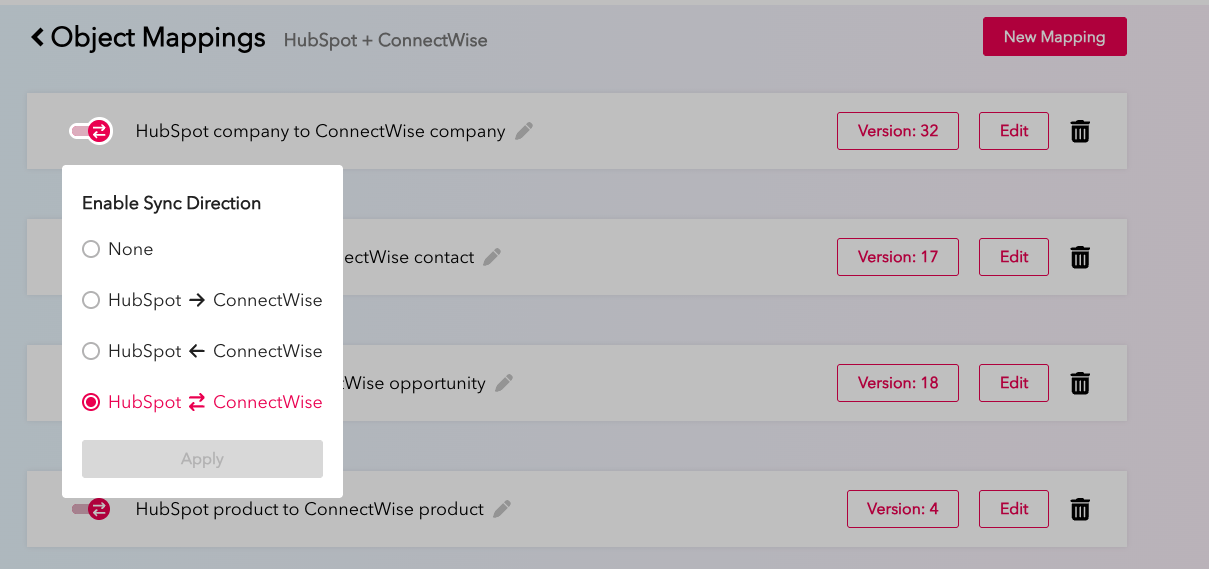
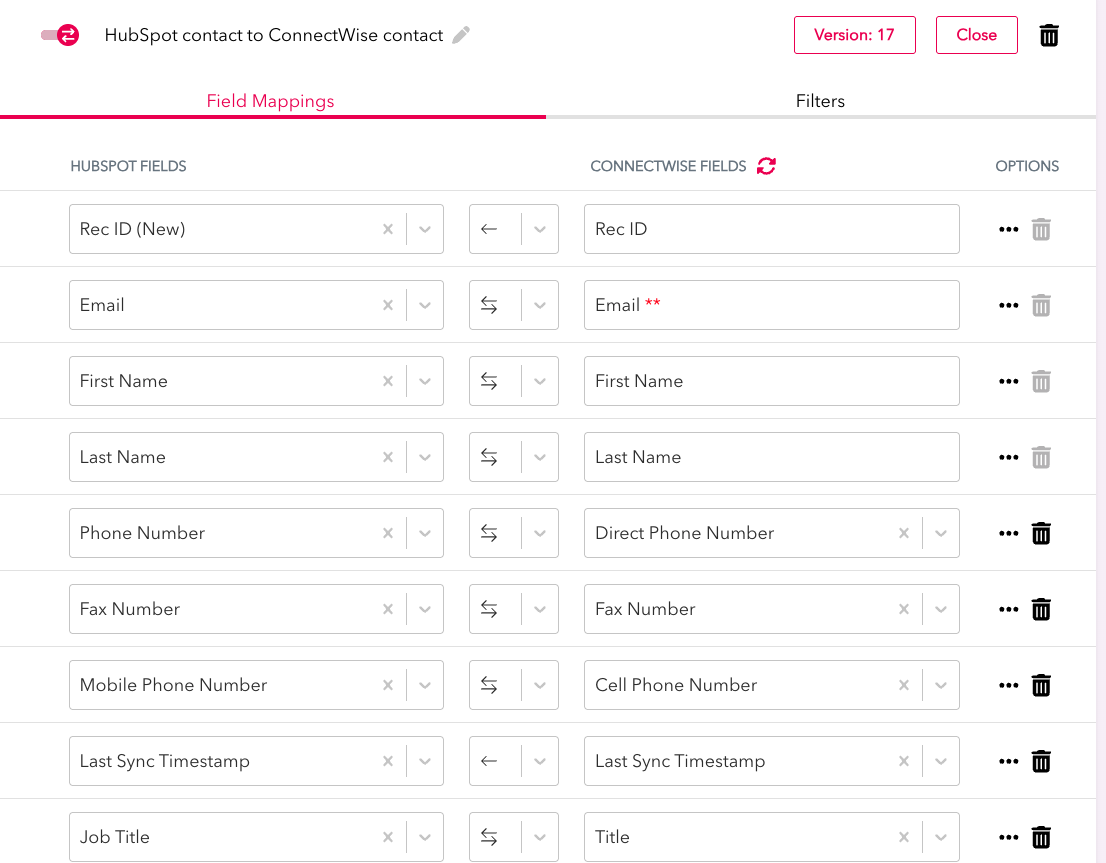
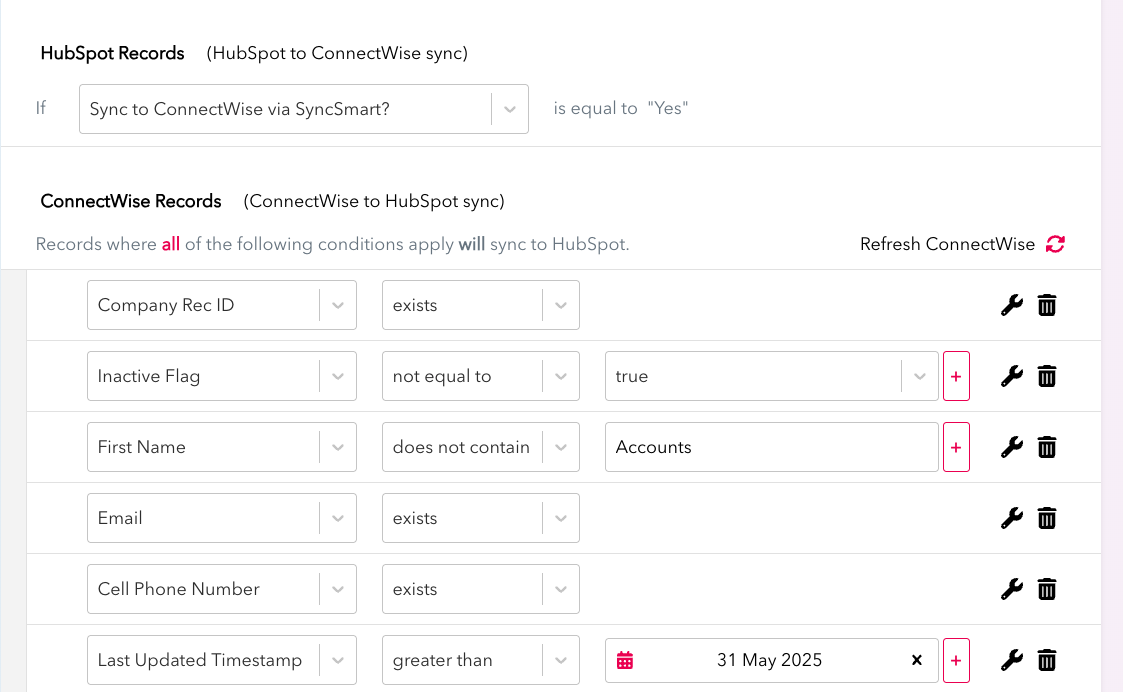
SyncSmart: Customize with visual controls - Click arrows to set sync direction at the object and field level (one-way to HubSpot, one-way to ConnectWise, or bi-directionally). Add fields from dropdowns. Delete fields you don't need. Add descriptions. Set filters to match your processes using simple visual cues — no query languages required.
Step 4: Historical Data
Zapier: No built-in historical sync. You'll need to import or find workarounds for existing data manually.
SyncSmart: Sync historical data - Flip the switch and watch your existing data flow between platforms. No manual imports or CSV files.
Step 5: Testing & Monitoring
Zapier: Test and troubleshoot - Without a proper logging system, debugging becomes a matter of guesswork when things go wrong.
SyncSmart: Monitor with the Logger - Confirm everything is syncing properly with real-time visibility into successes, errors, and warnings via email.
ConnectWise HubSpot Integration Pricing: Zapier vs. SyncSmart
Here's how each platform approaches costs.
Zapier Pricing Structure
Free Plan
- $0/month
- 100 tasks/month
Professional Plan
- $19.99 to $3,389/month
- 750 to 2,000,000 tasks/month
Team Plan
- $69 to $3,999/month
- 2,000 to 2,000,000 tasks/month
Enterprise Plan
- Custom pricing
- Advanced security and governance
Hidden costs users discovered:
- Failed zaps still count against your limit
- Automatic upgrades to paid plans during trials
- No refunds, even for immediate cancellation
- Tasks are consumed even when automations fail
SyncSmart Pricing Structure
Usage-based Tiers:
- 2,500 monthly syncs: $150/month
- 5,000 syncs: $250/month
- 10,000 syncs: $350/month
- 50,000 syncs: $1,000/month
- 100,000 syncs: $1,500/month
- 250,000 syncs: $2,250/month
- 500,000 syncs: $3,500/month
- 5-minute update time per sync
What's Included:
- All features at every tier
- No surprise overages
- Usage calculator available
- Support included (not an add-on unless you want Premium support)
- No free trial, but no bait-and-switch tactics reported like with Zapier
Verdict: Which is Better?
Both platforms can quickly connect ConnectWise to HubSpot without coding, but consider these use cases.
Choose Zapier if:
- You only need basic, one-way syncs
- You don't sync deals between platforms
- You're comfortable troubleshooting without support
- Your integration needs are simple and template-based
- You have time to manage and fix errors
Choose SyncSmart if:
- You need comprehensive object syncing, including deals
- Real-time visibility into your data matters
- You want responsive support when issues arise
- Your business processes require custom field mapping
- You need an integration that works reliably without constant maintenance
SyncSmart costs more than Zapier's entry-level plans. But when you factor in the time saved on troubleshooting, the deals that sync, and the support that responds, the ROI becomes obvious.
For businesses serious about integrating ConnectWise and HubSpot, demo the easy-to-use, packaged SyncSmart ConnectWise HubSpot integration.