Choose a packaged integration, bring us a custom workflow, or connect your software to your customers’ systems. SyncSmart provides the platform and the team to build, host and maintain the connections.
Choose fields, set direction and conflict rules, and follow the results. These screens show ConnectWise + HubSpot; each product page describes its available controls.
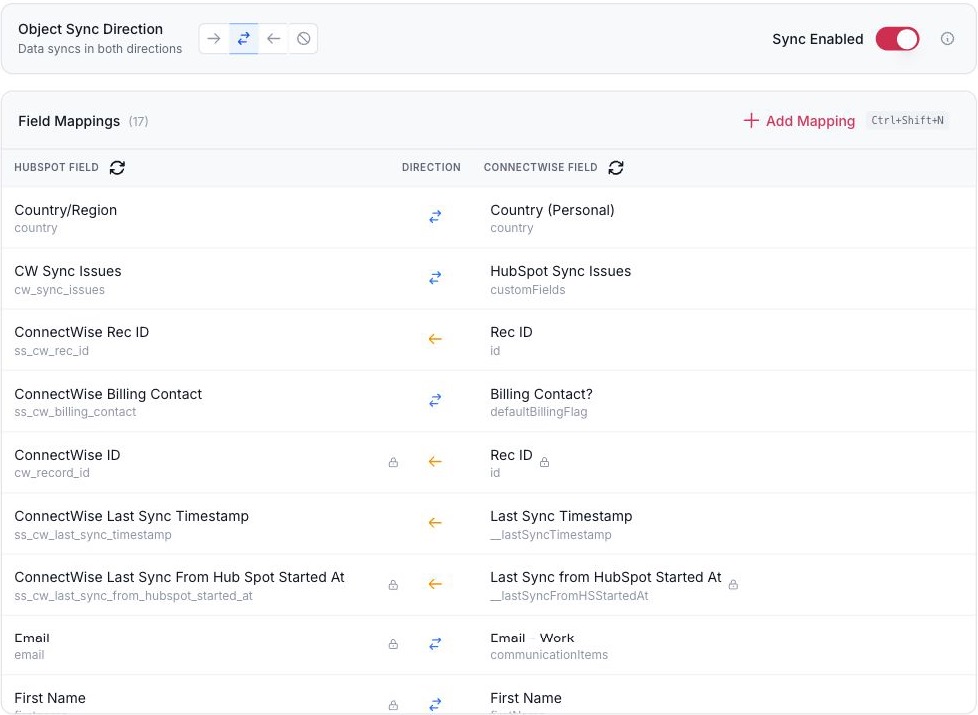
Every field has a direction.
Choose the objects and fields that sync: both directions where you want them, one direction where you don’t.
123
The direction for the whole object.
Each field has its own direction.
Add a mapping for a standard or custom field.
Field mappings for one record pair. ConnectWise + HubSpot shown.
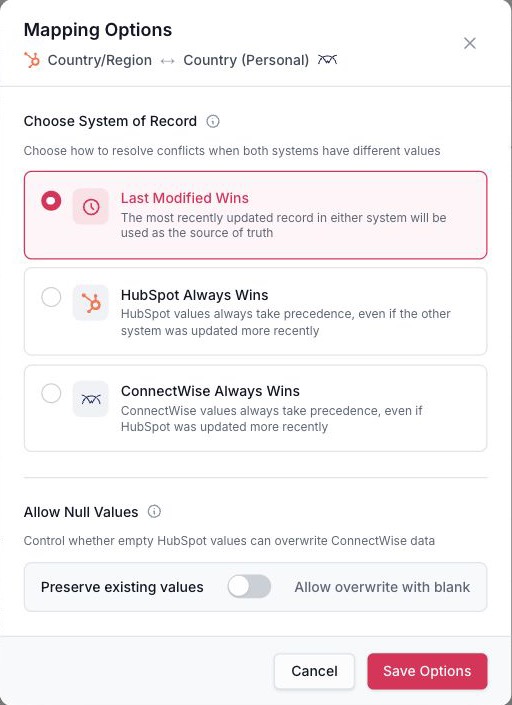
Decide which system wins.
When both systems change the same field, pick the most recent change, HubSpot, or the other system as the system of record. Choose whether a blank may overwrite a value.
12
Which system wins when both change.
Whether a blank may overwrite a value.
Conflict and blank-value rules for one field. ConnectWise + HubSpot shown.
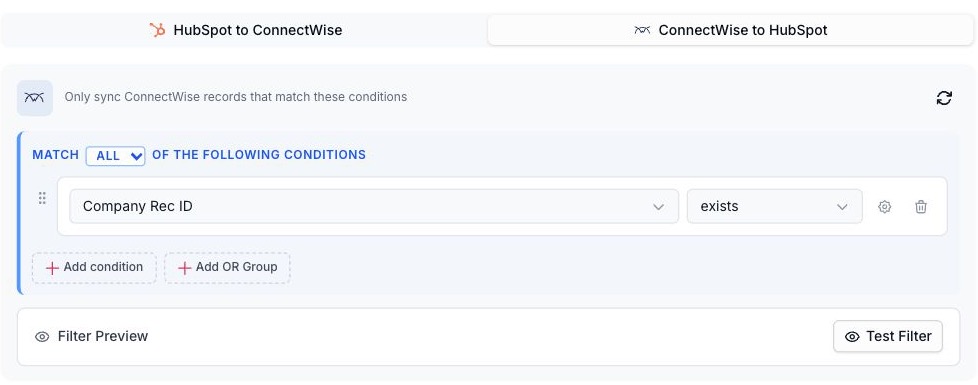
Sync only the records that qualify.
Build conditions with AND and OR, or point the sync at a HubSpot list your team already maintains.
12
Combine conditions with AND and OR.
Test the filter before you publish.
Conditions that decide which records sync. ConnectWise + HubSpot shown.
See every sync.
Search the log by record and filter by status, direction and object. Publish configuration changes and roll them back.
12
Search by record.
Filter by status, direction, and object.
Sync logs. ConnectWise + HubSpot shown.
For software companies
Your customers need integrations. Your team has a product to build.
Give your customers connections to the CRMs and ERPs they use. SyncSmart builds, hosts and maintains the integrations, so your team can focus on your software.
Haymakers for Hope connected its fundraising platform with HubSpot through SyncSmart. Donation and contact data now reach the workflows its team uses for donor outreach and sponsorship management.